CV Bazar collection
Royal Navy Biodata
CV template
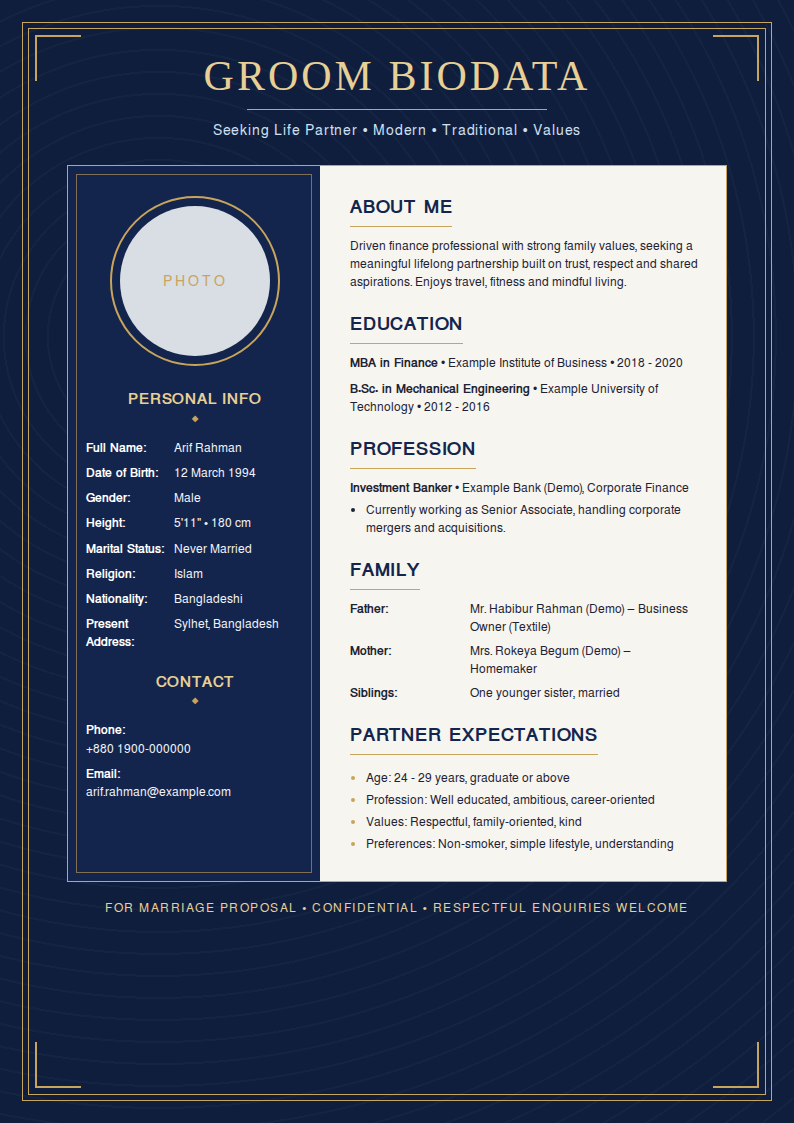
Royal Navy Biodata is a free, editable A4 CV template with a photo. A navy damask page in a gold frame, with a navy panel for your photo, personal details and contact beside an ivory panel for education, profession, family and partner expectations.
Grooms and families who want a formal, premium marriage biodata with a classic navy-and-gold finish.
- Paper
- A4 · 210 × 297 mm · Portrait
- Format
- Navy and gold framed marriage biodata with a photo panel beside an ivory details panel
- Best for
- applicants comparing professional and specialist CV formats
- Photo
- Yes — upload, crop and rotate
- ATS
- Visual design, selectable text
- Colour
- navy by default — any accent colour
- Price
- Free for job seekers
How to use the Royal Navy Biodata template
- Open the template. Choose "Use this template" to open Royal Navy Biodata in the free CV Bazar builder.
- Add your details. Enter your contact details, work experience, education and skills — or import an existing CV.
- Personalise the design. Keep the navy accent or pick another colour, and upload and crop your photo.
- Print or save as PDF. Print on A4 portrait at 100% scale, or save a PDF to email or upload.
Royal Navy Biodata template — questions and answers
What does the Royal Navy Biodata CV template look like?
A navy damask page in a gold frame, with a navy panel for your photo, personal details and contact beside an ivory panel for education, profession, family and partner expectations.
Who is the Royal Navy Biodata template best for?
Grooms and families who want a formal, premium marriage biodata with a classic navy-and-gold finish.
Is Royal Navy Biodata ATS-friendly?
Royal Navy Biodata is a visual CV design. Its text is selectable, but decorative columns and graphics can confuse some applicant tracking systems. Use it for emailed, printed or in-person applications, and choose an ATS-friendly resume template for online job portals.
Can I add a photo to the Royal Navy Biodata template?
Yes. Upload a JPG, PNG or WebP photo in the builder, then drag, zoom and rotate it to fit the frame. The photo prints with the rest of the CV.
Can I change the colour of Royal Navy Biodata?
Yes. Royal Navy Biodata starts in navy, its signature colour, and you can switch to any other accent colour in the builder at any time. The colour carries over to the matching cover letter.
Royal Navy Biodata টেমপ্লেটে কীভাবে সিভি বানাব?
"Use this template" চাপুন, তারপর নিজের নাম, যোগাযোগ, অভিজ্ঞতা, শিক্ষা ও দক্ষতা লিখুন। পছন্দমতো রং বেছে নিন, তারপর A4 সাইজে প্রিন্ট করুন বা PDF হিসেবে সেভ করুন। চাকরিপ্রার্থীদের জন্য পুরোটাই বিনামূল্যে।