CV Bazar collection
ATS Banner
resume template
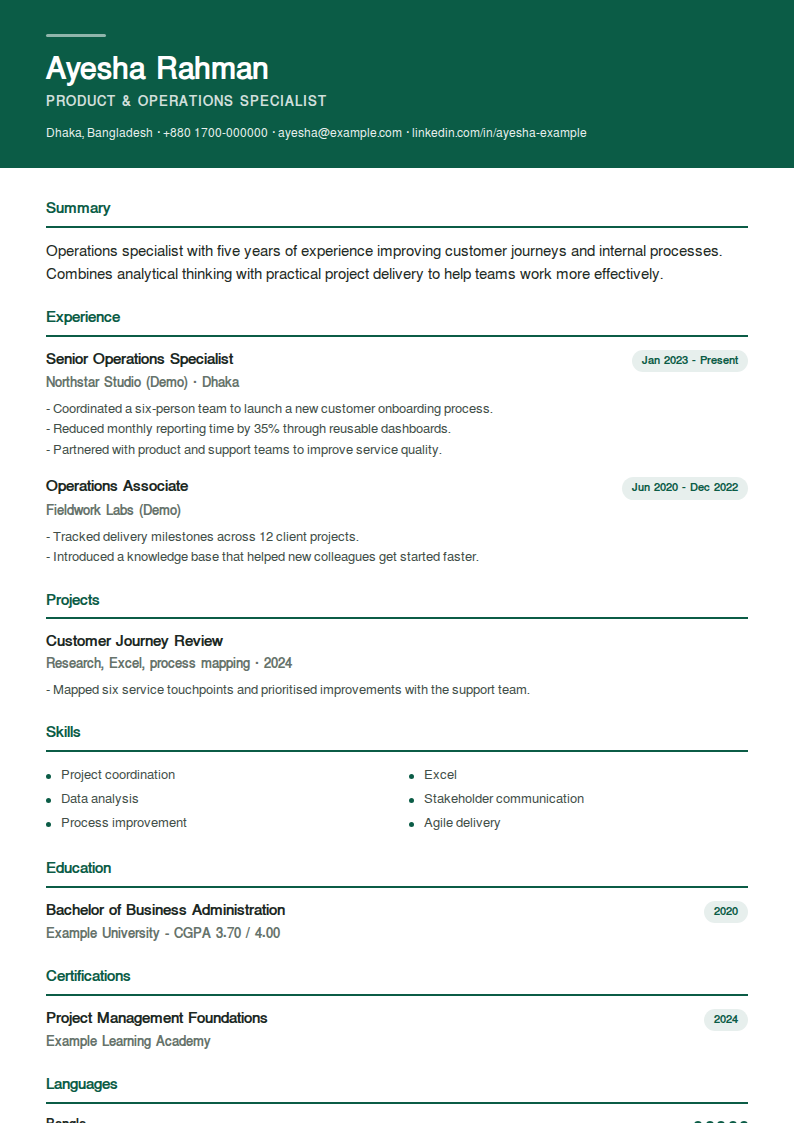
ATS Banner is a free, editable A4 resume template that is ATS-friendly. A solid colour band holds your name, while the body stays a single ATS-friendly column.
Applicants who want a touch of colour without giving up ATS compatibility.
- Paper
- A4 · 210 × 297 mm · Portrait
- Format
- Single-column, selectable text
- Best for
- applicants comparing professional and specialist CV formats
- Photo
- No photo slot
- ATS
- ATS-friendly, selectable text
- Colour
- olive by default — any accent colour
- Price
- Free for job seekers
How to use the ATS Banner template
- Open the template. Choose "Use this template" to open ATS Banner in the free CV Bazar builder.
- Add your details. Enter your contact details, work experience, education and skills — or import an existing CV.
- Personalise the design. Keep the olive accent or pick another colour.
- Print or save as PDF. Print on A4 portrait at 100% scale, or save a PDF to email or upload.
ATS Banner template — questions and answers
What does the ATS Banner resume template look like?
A solid colour band holds your name, while the body stays a single ATS-friendly column.
Who is the ATS Banner template best for?
Applicants who want a touch of colour without giving up ATS compatibility.
Is ATS Banner ATS-friendly?
Yes. ATS Banner keeps every heading, date and contact detail as real, selectable text with a clear reading order, so applicant tracking systems can read it. Results still depend on the employer's software, so follow any format the job advert asks for.
Can I add a photo to the ATS Banner template?
ATS Banner has no photo slot, which keeps it suitable for employers and countries that prefer CVs without photos. For a photo layout, compare the photo CV designs.
Can I change the colour of ATS Banner?
Yes. ATS Banner starts in olive, its signature colour, and you can switch to any other accent colour in the builder at any time. The colour carries over to the matching cover letter.
ATS Banner টেমপ্লেটে কীভাবে সিভি বানাব?
"Use this template" চাপুন, তারপর নিজের নাম, যোগাযোগ, অভিজ্ঞতা, শিক্ষা ও দক্ষতা লিখুন। পছন্দমতো রং বেছে নিন, তারপর A4 সাইজে প্রিন্ট করুন বা PDF হিসেবে সেভ করুন। চাকরিপ্রার্থীদের জন্য পুরোটাই বিনামূল্যে।